Your cart is currently empty!
Search results for: “R”
-

Too Many False Alarms? We Can Help
There are many reasons why security system users have false alarms. For instance, a large proportion can be blamed on homeowners forgetting to disarm the system prior to letting the dog out or empty the trash. Another aspect could be entering the wrong passcode.
Some municipalities in Georgia have cracked down on false alarms, with fees. EMC Security has implemented EMC Text-Alert, a text notification service that gives you the opportunity to chat with your emergency contacts when your alarm is triggered and respond appropriately from your phone. We’ve seen a significant reduction in false alarms when customer use Text-Alert. IT’S FREE! Sign up here >>
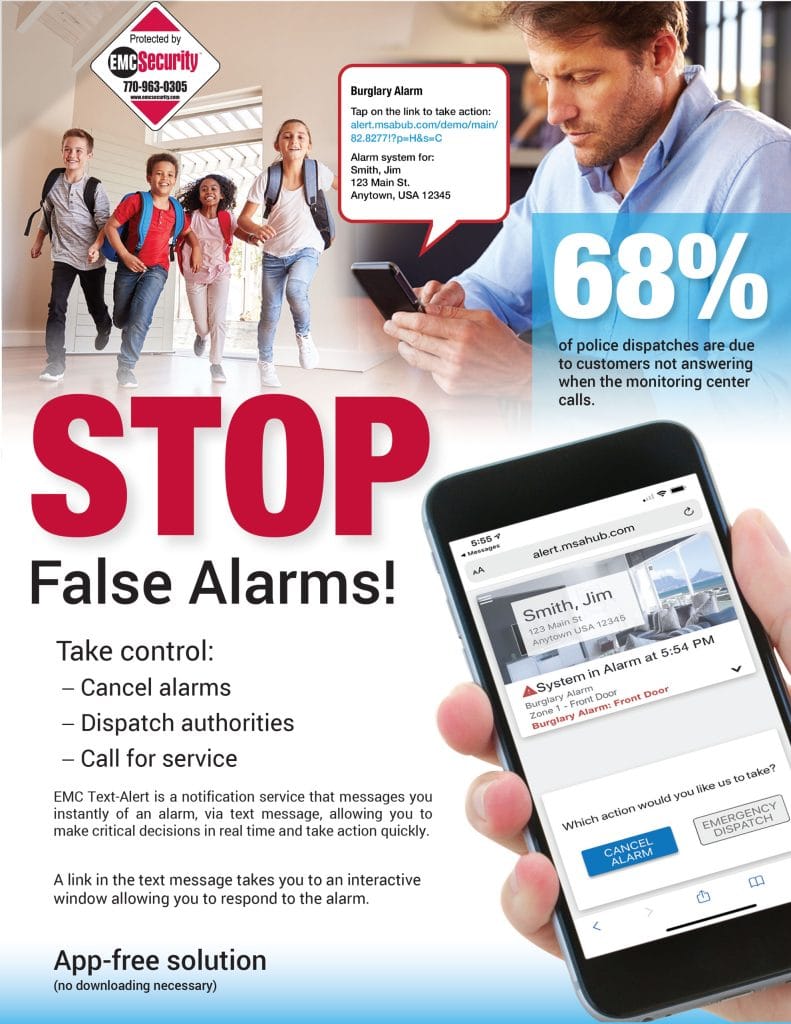
More ways to reduce false alarms:
Before you activate your system:
- Lock all protected doors and windows.
- Educate family members on
alarm system and usage. - Contact EMC Security if you have any concerns about the proper
functionality your system. - Notify EMC Security if you plan any renovating or remodeling your home.
- Educate family members on what to do if your alarm is accidentally triggered.
- Use the EMC Text Alert app to chat with your emergency contacts when your alarm is triggered and respond appropriately from your phone.
- First, don’t panic, there is time. Enter your disarm code (carefully) to reset your system. Remember, if there were a burglar, he or she would not know your code. Do not write it on your keypad.
- Call EMC Security at 1-888-745-4733 or wait for us to call you. Give your password — this is different from your disarm code.
Commercial False Alarm Prevention Guide
- Be sure all employees are thoroughly trained before attempting to use the alarm system. Hold monthly training sessions.
- Look for items that can move within the “view” of your motion detectors, causing false alarms fans, heaters, hanging signs, seasonal decorations, balloons, curtains, plants, etc.).
- Confirm that special consideration has been given to the installation of motion detectors in high traffic areas with overhead doors, large exhaust fans or ceiling vents which allow the entry of birds.
- Ensure all doors and windows are secure and locked before arming your system.
- Don’t change pass-codes without advising EMC Security.
- Train new users thoroughly, notifying EMC Security of new users.
- Service and maintain your system (including batteries) regularly before false alarms occur.
- Upgrade old alarm systems to current equipment conforming to Security Industry Association (SIA) false alarm prevention standards, further reducing false alarms.
Every municipality in Georgia has alarm registration requirements. Some have false alarm ordinances as well. Make sure you understand your ordinance and fee guidelines before installing a security system in your home or business.
-

Customer Newsletter – October, 2022
October is National Fire Prevention Month
So it’s a great time for us all to take the precautionary steps to prevent dangerous and life-threatening fires.
Maintain your heating source. Whether it’s a fireplace, wood stove, a furnace or electric heat, check the equipment before using.
Don’t store items near your heating source. Keep boxes, clothes, draperies, furniture and other combustible items away from a heating source.
Don’t leave burners or grills unattended. Keep dish towels, clothing and other items away from heating elements and open flame.
Never leave a burning candle unattended. For ambiance, consider battery powered candles.
Get a fire extinguisher. Place one on each floor of the house and in the garage.
Have an escape plan. Practice fire drills with your family and make sure everyone knows where to go depending on where the fire is in the home.
Add monitored smoke detectors . We monitor for fire at no additional monthly cost. Smoke detectors start at just $125. Call for details at 770-963-0305.
View the video above featuring EMC Security customers that are thankful they installed monitored smoke detectors in their home. A few months ago, their home was quickly overcome with smoke and fire while they were just a few yards away, in the backyard. If it wasn’t for EMC Security, the damage and loss would’ve been much greater.
Adding smoke or heat detectors to your home security system may very well be the best decision you make when it comes to the safety and security of your loved ones.
And, your monthly monitoring cost doesn’t change when you add fire monitoring to your security system.
Most Common Causes of Home Fires
In 2019, fire departments in the U.S. responded to an estimated 361,500 home fires. These fires caused roughly 2,870 deaths and 12,700 reported injuries. Property damage was estimated at $7.9 billion.
Smoking – #1 cause of deaths
Most smoking-related fires start inside the home, often originating from upholstered furniture, bedding, or mattresses. Always smoke outside, thoroughly extinguishing cigarettes in an ashtray when finished.
Cooking equipment – #1 cause of fire injuries.
If you leave the kitchen—even for a brief period of time—turn off the stove. Wear short, close-fitting, or tightly rolled sleeves when cooking. Always keep children away from active cooking areas.
Fireplace
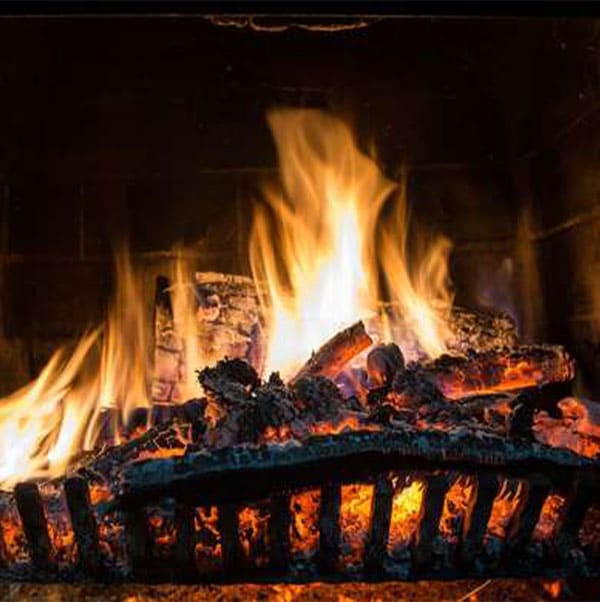
To prevent an accident, install a spark screen or glass door in front of the firebox to protect the surrounding area from stray sparks and rolled logs. Check chimneys annually to ensure that creosote hasn’t built up, and never leave a fire unattended.
Portable space heaters
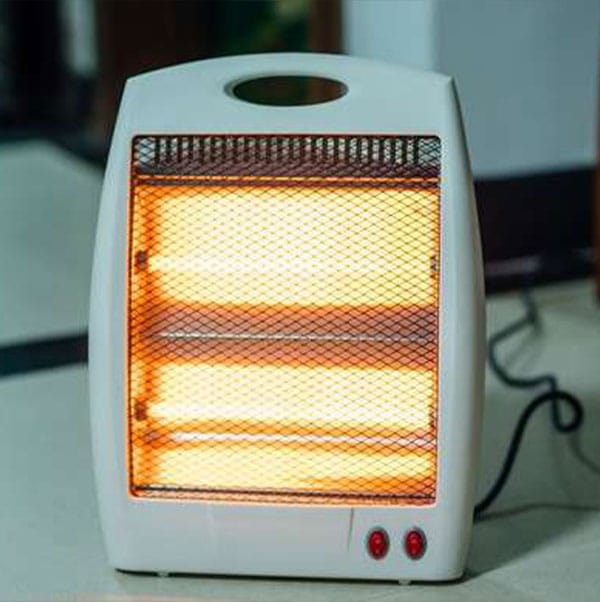
Portable space heaters, which cause more fires annually than central heating. Use space heaters only in well-ventilated spaces, and keep them at least three feet away from furniture, fabrics, draperies, and other combustible objects.
Candles
Never position a lit candle near flammable items like bedsheets and books, which may become engulfed in flame if they come in contact with the tiny fire. As a safer alternative, homeowners can purchase flameless, battery-powered candles with LEDs.
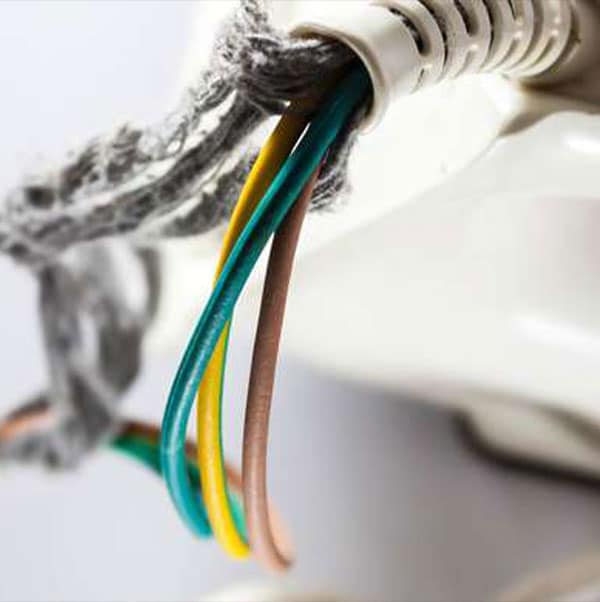
Worn and damaged cords
Replace all worn or damaged cords right away, never overload extension cords or wall sockets, and don’t position cords under furniture or rugs.
Grill
Position your grill or fire pit several feet from your house, safely away from trees, deck railings, and other structures. Routinely clean the grill, investigate signs of rust and corrosion, and check the gas connections.
Propane and gasoline
Gasoline, kerosene, and propane should be stored outside in their original containers. Kerosene and propane heaters, which have a constant open flame, should be kept in an isolated, well-ventilated area and used only with the proper type of fuel.
Did you register your alarm with your municipality?
Certain municipalities in Georgia require home security system users to obtain an alarm registration or permit. Alarm companies are not able to register your system (with the exception of Brookhaven City and Dekalb County) so it is your responsibility to comply with these requirements. If you fail to do so, the municipality could delay or refuse to dispatch emergency personnel and/or assess you with fines.
Additionally, some areas of Georgia have partnered with CryWolfe Services to monitor their alarm registration and false alarm program, requiring additional registration.
We compiled the requirements for some areas that require an alarm registration or permit on our website. This list is not comprehensive so you should confirm registration requirements with your municipality.
Please contact your local municipality with any questions regarding alarm registration and user permits.
Alarm Registration Information >>
-

Customer Newsletter – August 2022
Are you taking our DIY System with you when you move? Be sure to call us first.
On the call we’ll:
- Suspend service at your existing home.
- Transfer service to your new home.
- Program your system components for your new home.
- Add any components needed (additional doors, etc).
- Upgrade to cellular or add cameras, etc.
EMC Security’s phones are ringing off the hook!
More people than ever before are looking to switch to EMC Security – a reliable local company – to provide home security service.
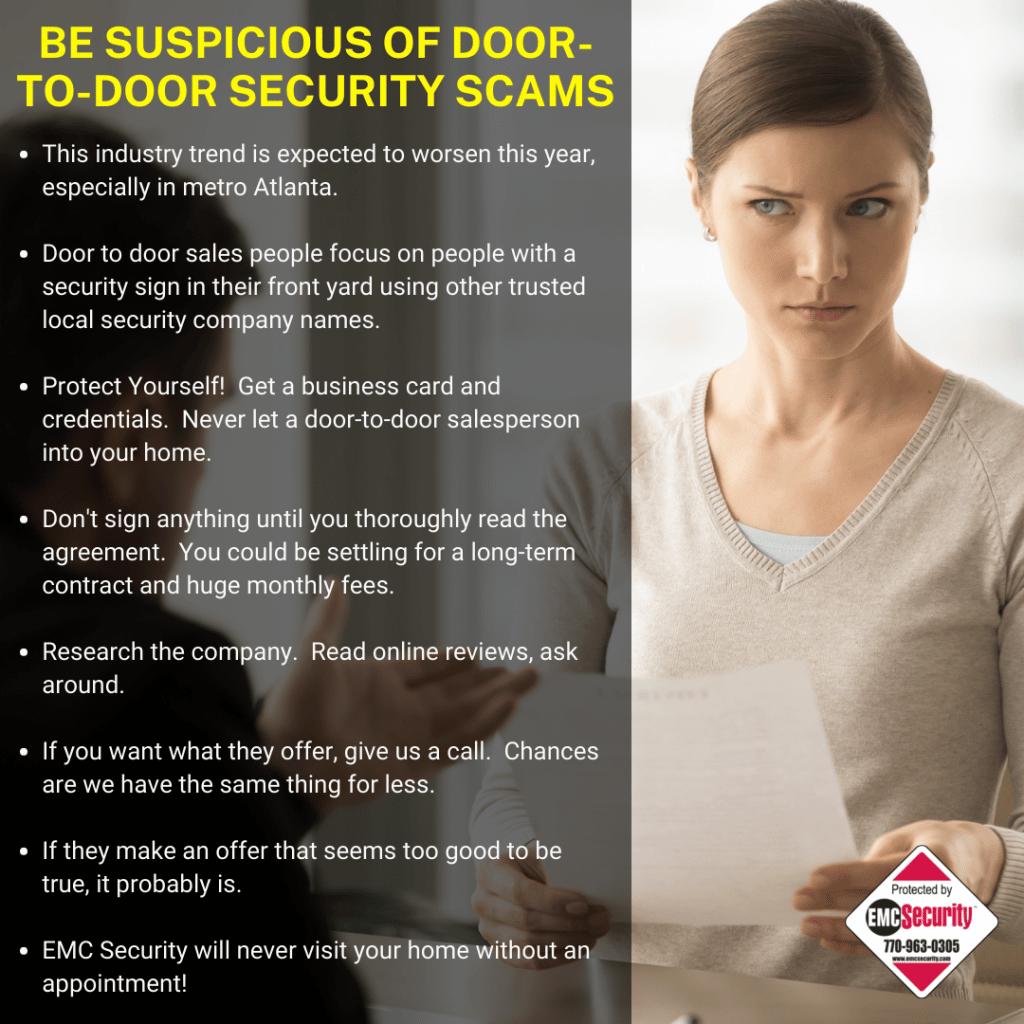
As you spend time with friends and family around Georgia this summer, remember our Referral Program. You’ll get two months free service for every new customer you refer.
-

EMC Security Protection For Your Office Building
Get an Instant Quote
Commercial & Industrial Security Solutions for Offices
Worker safety, fire protection, remaining code compliant, and securing important documents are key issues in office environments.
Below are the services provided by EMC Security for offices:
1. Intrusion Detection
A security system is a cost effective way to protect facilities without the need of manned on-site security. The latest in technology also allows managers to receive notifications when the system is armed or disarmed.
2. Fire Protection
EMC Security ensures businesses remain code compliant with NFPA standards with full-service design, installation, monitoring, and fire system inspections.
3. Access Control
Managing control allows managers to track and limit employee and visitor movement throughout the complex. Reports from the access control system can be used for determining who has accessed certain areas and at what time.
4. Video Surveillance
Well placed video surveillance systems allow owners to maintain a record of activities for later review as well as provide owners with real-time and recorded video on demand and notifications while off-site.
Learn more about protecting your office by contacting EMC Security or completing our Commercial Instant Quote below.
-

Home Security App Protection
One of the most convenient features of modern security systems is the mobile app. Since the app has the ability to arm and disarm your system, view camera video, and control other home functions, it’s important to keep it secure with protection from hackers.
Below are ways to protect your privacy while using a home security app:
- Connect to a trusted Wi-Fi network to keep your home security system information and events private from the public. If you’re not connected to a secure network, there’s a high risk of a stranger using public Wi-Fi to get your private home security information.
- Most security apps allow you to share access with other family members. Consider limiting app access only to those who need it.
- Change your password frequently. If your app allows, use two-factor authentication to log-in two ways to access your account. The extra layer of security helps prevent hackers from accessing your account with only a password and email.
- Keep your mobile app up to date. Anytime your app has an update available make sure to download the latest as soon as possible. App updates often include bug fixes, security and privacy improvements.
-
Warning About Alarm Monitoring
Many alarm monitoring companies, including large national companies allow central alarm station operators to work from their homes, apartments or even college housing dorms to monitor customers for life safety events. Seems almost unbelievable, but it is a fact.
A recent article by security industry expert Jeff Zwirn, published in industry trade magazine Security Sales and Integration highlighted a change that was made to an important UL code made during the Covid 19 pandemic. The new UL-827 now allows operators to perform their life safety and property protection dispatch duties from anywhere they have an internet connection. This includes private homes, apartments, or other locations.
Any good central station operation will be backed up for power and will have redundant internet connectivity paths. Operators and their actions will be closely monitored for activity. Visitors, cell phones, TVs are generally not allowed in the facility, due to concerns about security, privacy, and distraction.
Zwirn warns, “Central Stations that have their operators working from their apartments, dormitories, or homes is a choice that is foreseeably dangerous and needlessly puts subscribers at an increased risk of the very things that the alarm system was intended to protect against as reliable and timely emergency dispatch.”
When this UL guideline change was made, EMC Security decided that remote alarm monitoring was not a practice that we would support. Distracted operators, lack of oversight and supervision, risk of a data breach and virtually no redundancies for the operators make the notion of remote monitoring very scary.
EMC Security’s central station operates 3 locations with in-facility alarm response, never compromised by security risks, distractions, or weather. All monitoring center locations are staffed with highly trained and certified response staff, in secured facilities, backed up by multiple generators and multiple communication paths. No alarm monitoring staff works from home. Ever. We do not put our customers at risk by allowing operators to monitor remotely.
We do not put our customers’ safety at risk for the comforts of working from home. We stand by our decision to utilize in-facility monitoring centers because we believe that upholds our dedication to providing the highest level of customer service in a distraction-free, secure environment.
In addition, EMC Security has a redundant monitoring location in a secured facility, on site at our office in Suwanee, backed up by multiple generators and multiple communication paths. Low priority signals (battery, power, etc) are handled from this location, but it is ready to handle all alarm conditions, if necessary. No operator handles any priority, high response life safety and property protection signal from anywhere outside of our facility.
-

North Georgia Football
What do offensive linemen and EMC Security have in common?
Answer: We protect what’s most important.
That’s right, when it comes to protection, we’re both experts at keeping the bad guys at bay. So, in the spirit of our commonality, we’ve partnered with 97.9 FM and AM-1330 WGTJ to sponsor play-by-play commentary of high school football games.
They kick off the coverage every Friday on a 1-hour weekly high school preview show “Game Plan” broadcast every Friday night from 6:05 to 7:00 PM, prior to the game of the week broadcast. Then they count down to the kickoff of the game of the week, “Friday night football in north Georgia”. The team of Joe Gailey, Ron Poole, Garry Glenn, and Mike Wofford will provide the play- by-play coverage of the games as they feature broadcasts of all of the public high schools in Hall County this season.
There are several great ways to hear the games on WGTJ: on the radio at 97.5 FM; online on any computer and mobile device through the new upgraded player on the “listen live” link on the home page of the station’s web site, wgtjradio.com; through the “tunein radio” app; on the Amazon echo smart speaker by saying “play 97.5 GLORY FM; and you can hear the games and watch the action with a LIVE video stream on our social media site on twitter, @teamglorysports. All of the games will be recorded and made available for playback any time on demand through the football archives page on the station’s web site.
After the game they will broadcast the most comprehensive high school football scoreboard in the area with “The Final Score”, a LIVE local scoreboard show with interviews with local coaches with recaps of the local games, 11 PM-12 midnight; and on Saturday mornings they will go in-depth with the local games on “The Saturday Morning Sports Show”. Mike Wofford and Ron Poole will recap all of the local games and talk with the coaches LIVE from the TEAM GLORY SPORTS center.
Plus, this season, the show will be broadcast LIVE on social media on twitter live, @teamglorysports.
Games will take place from late August through November and are scheduled below:
AUG 19 EAST HALL AT WEST HALL
AUG 26 WEST HALL AT JOHNSON
SEP 2 DAWSON COUNTY AT NORTH HALL
SEP 9 EAST HALL AT CHESTATEE*
SEP 16 NORTH HALL AT EAST HALL*
SEP 23 CHEROKEE BLUFF AT NORTH HALL*
SEP 30 CLARKE CENTRAL AT FLOWERY BRANCH*
OCT 7 MADISON COUNTY AT NORTH HALL*
OCT 14 NORTH HALL AT CHESTATEE*
OCT 21 PICKENS AT WEST HALL*
OCT 28 CEDAR SHOALS AT NORTH HALL*
NOV 4 NORTH OCONEE AT CHEROKEE BLUFF*
NOV 11 STATE PLAYOFFS, FIRST ROUND
NOV 18 STATE PLAYOFFS, SECOND ROUND
NOV 25 STATE PLAYOFFS, QUARTER-FINALS
FCA EAST-WEST ALL-STAR CLASSIC
SCHEDULE SUBJECT TO CHANGE
-

Georgia School Bus Law
Many school systems have opted for online learning this fall. But there are also many districts that have offered in-school learning – so buses will be on the roads once again.
It’s important for people to realize how dangerous it can be at bus stops, which is why drivers have a responsibility to make sure students can leave those bus stops safely.
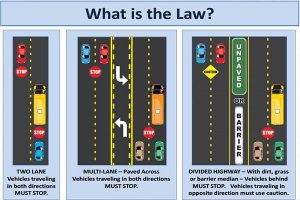
According to law, vehicles traveling in both directions must stop when a school bus is stopped on a road with its lights on and sign out. This applies to two-lane roads, four-lane roads, and roads with a turning lane. The only time you do not have to stop is if there is a median in the road, separating you and the bus. These sections of roadway are usually divided by a grassy area, a paved area, or a concrete wall.
Penalties for Breaking the Law
If you are caught passing a school bus that is stopped, you could be fined up to $1,000 and risk getting six points on your driver’s license. As such, remember, if you see a school bus stopping and the red lights are on, you need to stop unless it’s a road with a median.
According to a school official, bus drivers try to avoid bus stops where students have to cross the street, but it does still happen and sometimes students cross when they aren’t supposed to.
Sometimes, it’s possible that a child might get confused, and not having traffic stopped in all directions could be catastrophic, which is why it’s important that drivers educate themselves on the new law and the cautions that come with driving on the roadways during the school season.
Did you know that EMC Security protects more kids and staff at school in Georgia than any other company? That’s over 358,000 students and staff! Learn how we can keep you and your family safe at home too.

-

Home Security Rates Increasing?
The reality of the world-wide microchip shortage, global labor shortage and other supply chain disruptions has manufacturers – from consumer electronics and appliances to automobiles and industrial capabilities – in a bind trying to fulfill demand. Simple economics proves that when demand is high and supply is low, prices go up. It’s happening in every aspect of our lives.
Security technology manufacturers have announced hefty prices increases this year. Home security companies all over the U.S. are facing price increases and are passing the cost to consumers.
EMC Security has a plan to protect our low prices.
- Internally, our team is negotiating exemption and/or lower percentage increases with our manufacturing partners.
- Our famous “no contract” option provides more value to consumers than ever before. We give our customers control to decide if they want to do business with us. Because customers can cancel any time, we work hard to ensure our level of customer service is at its highest for each and every interaction.
- EMC Security protects our customers and gives back to the community we serve.
- As a local company, we hire local people to service local families and businesses – we are part of this community and we do all we can to buy local and support the community.
- Every employee passes background checks, drug screens, and driving records.
- We notify customers if we don’t receive a test signal in more than 30 days. Customer security systems are tested for signals to confirm the system is properly functioning. Other companies don’t provide regular testing like this.
- We employee a team of 7 in-house technical support representatives. Trained security technicians are available at no cost to our customers to provide telephone technical support. This could save our customers time and money associated with a site visit to trouble-shoot or repair their system.
- Free EMC Text-Alert is a service no other company offers at no cost. This service allows customers to make a decision quickly with those on their contact list whether to dispatch or cancel an alarm – speeding up the process.
-

EMC Security Can Activate Your Security System
More homes than ever before have pre-installed security systems, or the home is pre-wired and ready for security equipment to be installed.
This begs the question that is often confusing to consumers, “Do I have to use the company that installed the equipment to monitor it?”
No, you don’t.
With just a few exceptions, EMC Security can monitor most existing home security systems. This is good news if you’re happy with the existing security system in your home but dissatisfied with your current monitoring service, or especially if you’re moving into a home with a pre-installed system.
What is Monitoring?
When your alarm is activated (by a sensor striking on a door or window), an alarm is sent to the central monitoring station for immediate action. This includes contacting you at pre-determined phone numbers (EMC Security’s alarm response is less than 14 seconds on average) and relaying your address and the type of emergency to police, fire, or medical authorities.
Some systems are only supported by the company that installed them. These systems are called proprietary systems. Some well-known companies block other companies from monitoring their systems with proprietary systems. However, there are many other system types that are non-proprietary which makes choosing a monitoring provider much easier.
If you’re moving into a home with an existing security system, the control panel should give you a make and model number to assist with your research. This information is all EMC Security needs to determine if we can monitor your system.
How to Switch to EMC Security
As part of our process of activating an existing security system, our customers receive:
- A full system diagnostic
- Reprogramming to communicate to EMC Security monitoring centers
- Full system communications test
- Panel battery replacement if needed
- Homeowner training on full system operation
- Yard signs and window decals

 Smoking – #1 cause of deaths
 Fireplace
 Portable space heaters
 Candles
 Worn and damaged cords
 Grill
Grill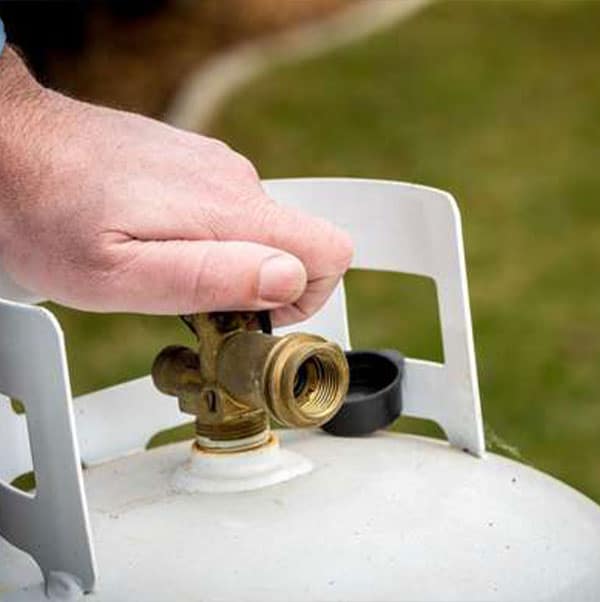 Propane and gasoline