Search results for: “R”

  • Upgrades Request

    Request Upgrades and Add-Ons

    Please complete the following form to request upgrades to your existing system. We will make our best effort to contact you within 24 hours of submitting your request (if during the business week). You may also call us Monday through Friday from 8am to 5pm at 770-963-0305 to speak with our Service Department immediately.

    • This field is for validation purposes and should be left unchanged.
  • Troubleshoot Beeps, Chirps, Alerts, and More

    Honeywell

    (Vista 4110, 4110xm, 4120, 4140, 4142, 40, 50, 10, 15, 20, 21IP, 32fb 128, 250

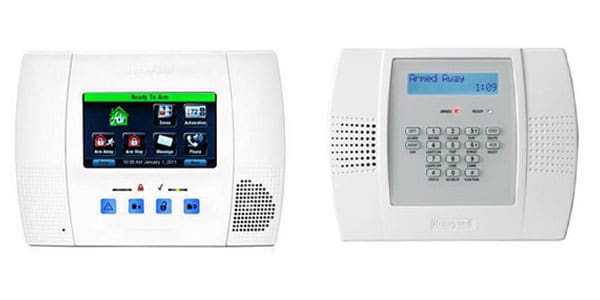
    Honeywell Lynx Models

    (Lynx 5000, 5100, 5200, 5210)
    Connect+
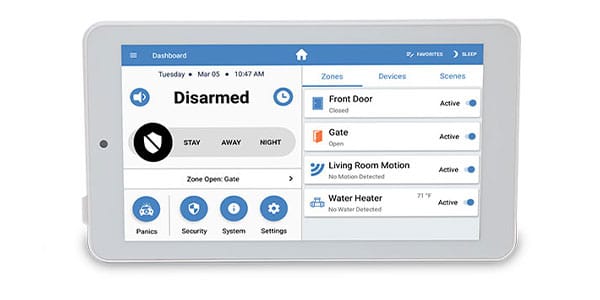
    First Alert

    (First Alert 110, 120, 130, 140, 148, 168, 1220, 1600, 1660, 2000)
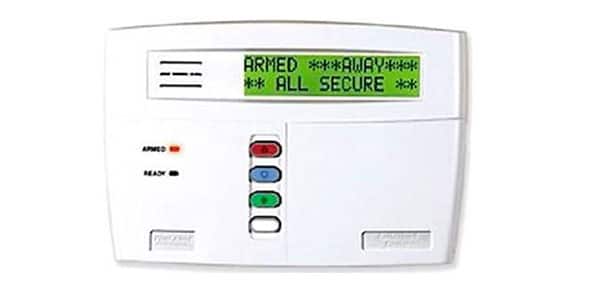
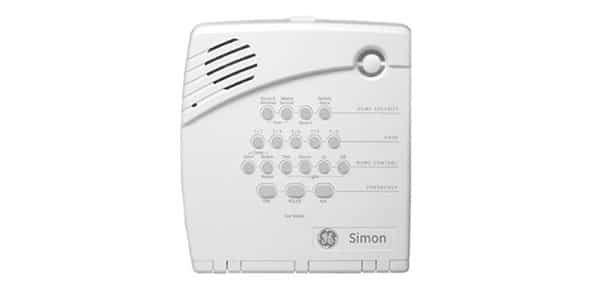
    Simon XT
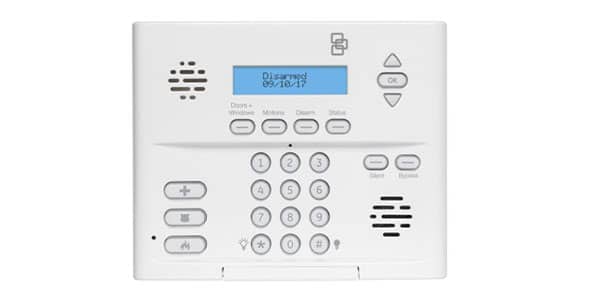
    Simon XTi
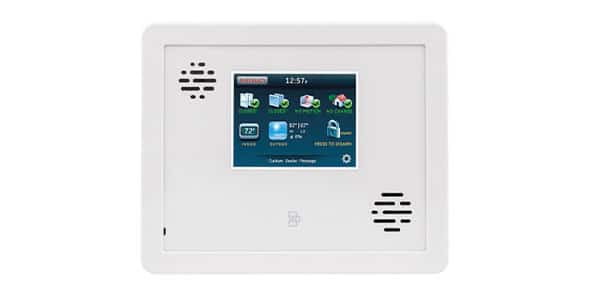
    Simon 1,2,3
    DSC Systems

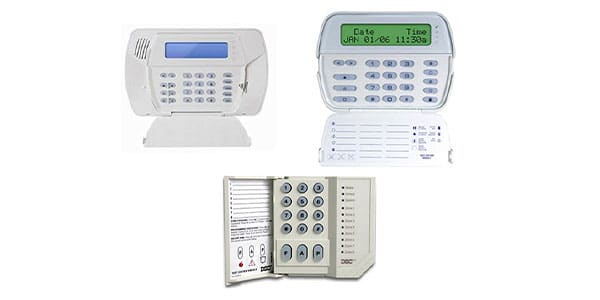
    (Envoy, Impassa, Alexor, Dsc Touch, Qolsys (IQ2), 550, 1500, 1550, 2550, 3000, 1555  (P6b, p632), 5010 (832), 5020 (864), 4020 (maxxis), 1616, 1832, 1864)
    Concord Systems

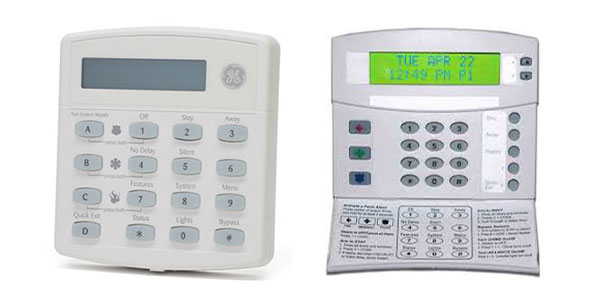
    (Concord exp, Concord 3, Concord 4)
    2GIG Systems
  • Thermal Camera Solution

    Infrared

    Thermal Camera Solution

    Contactless and continuous non-invasive detection of elevated skin temperatures.

    Efficient – Visible – Real-time

    Temperature logo

    High accuracy temperature monitoring

    Ultra-high accuracy ±0.54°F temperature monitoring

    High efficiency logo

    Rapidly monitor multiple people

    Monitor up to 30 people per second, from up to 15 feet away.

    Manageable logo

    Automatic temperature monitoring

    Continuous non-invasive temperature monitoring. 

    Temperature logo

    Alerts and alarms for further action

    Live alerts to both mobile app and on-site recorder.

    A man's face

    Efficient Results

    The total evaluation process takes mere moments, producing images in near real-time.  No need for individuals to stop in front of the camera or remove hats, glasses, or face masks; the temperature measurements can be taken as they walk past.

    Airport
    Women in front of camera

    High-Traffic

    Because many people can be screened at once, the thermal solution is well-suited for crowded environments such as hospitals, airports, public transportation hubs, office buildings, and schools.

    A stadium

    Thermal Camera Solution

    Video Overview

    Although thermal imaging cameras are generally accurate temperature measurement devices, they have not been tested or qualified as diagnostics medical equipment and should not be used to diagnose any medical conditions. The images displayed are for illustrative purposes only.

    Other Common Applications

    Auto Manufacturing 

    In the race for better performing, fuel-saving, and lighter automobiles, thermal cameras can provide non-destructive, efficient quality checks on every electrical system, motor assemblies and window heating elements.

    Chemical Industries

    Thermal imaging makes it easier to non-invasively, without personal contact, capture and measure temperature with greater accuracy, which is essential in hazardous and non-hazardous chemical material production. 

    Electric/Mechanical

    Thermal cameras systems replace humans in direct contact with electrical systems and circuits, so testing for  blockages, over-heating, and loose connections can be conducted without interrupting the flow of power.

    Building and Structural 

    Thermal cameras can capture temperature measurements from any surface.  The use of thermal cameras can improve building materials and structure in order to combat energy loss and waste. 

  • Test Your Security System

    How To Test Your System

    We Test All Your System Components

    When EMC Security installed your alarm system, or if we converted your monitoring from a previous service provider, we tested all of your system components at that time to ensure they were properly communicating to the central station facility.

    Phone line failures, lightning or power surges, or a change in phone service (adding DSL or Internet Protocol service) may cause your normally reliable security system to become incapable of doing its job.

    EMC Security encourages all of our customers to test their systems monthly to ensure their system is ready in the event of an emergency.

    Here’s what you can do to test your system

    1. Call the 24-hour EMC Security central monitoring center at 1-833-700-0294 and let them know you will be testing your system. Be prepared to provide them with your name, service address and password. (Your password is the secret word you provided on your original paperwork, that allows the monitoring center to identify you as the account holder.)
    2. Close all doors and protected windows, arm your system and allow the delay time to expire.
    3. Activate your alarm like an actual emergency by opening a protected door, pressing your panic or hold-up buttons, etc.
    4. Allow your sirens (if an audible alarm) to sound for approximately 15 seconds to one minute and then turn off your system.
    5. Call the monitoring center and announce that you are calling to check test results. The central station operator will describe the signals received.
    6. Ask the operator to take the system off test.

    If for any reason, the system did not communicate to our central monitoring center, please call our service department at 770-963-0305, Monday through Friday between 8am and 5pm and we will arrange for one of our qualified technicians to check your system.

  • Terms and Conditions (“Terms”) 

    Terms and Conditions

    Last updated: November 12, 2019

    Please read these Terms and Conditions carefully before using  www.emcsecurity.com (the “website”) operated by EMC Security.

    Your access to and use of the website is conditioned on your acceptance of and compliance with these Terms and Conditions. These Terms and Conditions apply to all visitors, users and others who access or use the website.

    Purchases

    If you wish to purchase any product or service made available through the website, you may be asked to supply certain information relevant to your purchase, without limitation.  In the event you purchase certain goods and/or services you may be required to sign additional Terms and Conditions which may then apply. 

    Links to Other WebSites

    The website may contain links to third-party websites or services that are not owned or controlled by EMC Security.

    EMC Security has no control over, and assumes no responsibility for, the content, privacy policies, or practices of any third party websites or services. EMC Security shall not be responsible or liable, directly or indirectly, for any damage or loss caused or alleged to be caused by or in connection with use of or reliance on any such content, goods or services available on or through any such third-party websites or services.

    Changes

    We reserve the right, at our sole discretion, to modify or replace these Terms and Conditions at any time.

  • Test Your System 

    How To Test Your System

    We Test All Your System Components

    When EMC Security installed your alarm system, or if we converted your monitoring from a previous service provider, we tested all of your system components at that time to ensure they were properly communicating to the central station facility.

    Phone line failures, lightning or power surges, or a change in phone service (adding DSL or Internet Protocol service) may cause your normally reliable security system to become incapable of doing its job.

    EMC Security encourages all of our customers to test their systems monthly to ensure their system is ready in the event of an emergency.

    Here’s what you can do to test your system

    1. Call the 24-hour EMC Security central monitoring center at 1-833-700-0294 and let them know you will be testing your system. Be prepared to provide them with your name, service address and password. (Your password is the secret word you provided on your original paperwork, that allows the monitoring center to identify you as the account holder.)
    2. Close all doors and protected windows, arm your system and allow the delay time to expire.
    3. Activate your alarm like an actual emergency by opening a protected door, pressing your panic or hold-up buttons, etc.
    4. Allow your sirens (if an audible alarm) to sound for approximately 15 seconds to one minute and then turn off your system.
    5. Call the monitoring center and announce that you are calling to check test results. The central station operator will describe the signals received.
    6. Ask the operator to take the system off test.

    If for any reason, the system did not communicate to our central monitoring center, please call our service department at 770-963-0305, Monday through Friday between 8am and 5pm and we will arrange for one of our qualified technicians to check your system.

  • CAREERS THANK YOU

    Thank you for submitting your application and resumé to EMC Security. We will review this and get back to you should we determine that an interview is the next step.

  • Build Your System

    By clicking the ‘”Submit” button, you agree that an EMC Security specialist may contact you via text messages or phone calls to the phone number provided by me. Your information is collected and used in accordance with our privacy policy. Msg & data rates apply.

  • 5G Support

    Earth from space

    EMC 5G Internet

    Support

    Gateway Setup Video Instructions

    Configuring Your Wi-Fi and Troubleshooting

    Confirm if there is a signal

    The solid white light on the Gateway will be lit if you are getting a signal.  A solid red light indicates no signal.

    Configure your router (i.e. change Wi-Fi name or password)

    You can configure functions of your router on the Web GUI. To access the Web GUI, from your computer or mobile device, open a web browser and enter the router’s admin address http://192.168.0.1 in the address bar. Then, enter the default admin password (check the product label of your router for your default admin password).

    The Home page features the Menu at the left side to navigate the functions, and shows the general system information of your router, including the number of connected devices, network status, and Wi-Fi status.

    Menu:  Use the Menu at the left side to navigate functions of your router, such as Wi-Fi Settings, Internet Control, Device Settings, Network, Diagnostic, Security, and NAT Forwarding.
    Logout:  Click it to log out. You will be asked if you want to continue to log out.
    No. of connected device:  Shows the number of connected devices via Wi-Fi (Primary) and Ethernet.
    Network info:  Displays general network information, including Cellular Network, Status, IP Address, MAC Address, and Software version
    Wi-Fi status:  Shows the general status of the Wi-Fi connections of your router.

    From the menu, click Wi-Fi Settings.

    Enter the information in the appropriate fields for Wi-Fi Name, Password, etc.

    Restrict selected devices from accessing internet

    You can configure functions of your router on the Web GUI. To access the Web GUI, from your computer or mobile device, open a web browser and enter the router’s admin address http://192.168.0.1 in the address bar. Then, enter the default admin password (check the product label of your router for your default admin password).

    The Home page features the Menu at the left side to navigate the functions, and shows the general system information of your router, including the number of connected devices, network status, and Wi-Fi status.

    Menu:  Use the Menu at the left side to navigate functions of your router, such as Wi-Fi Settings, Internet Control, Device Settings, Network, Diagnostic, Security, and NAT Forwarding.
    Logout:  Click it to log out. You will be asked if you want to continue to log out.
    No. of connected device:  Shows the number of connected devices via Wi-Fi (Primary) and Ethernet.
    Network info:  Displays general network information, including Cellular Network, Status, IP Address, MAC Address, and Software version
    Wi-Fi status:  Shows the general status of the Wi-Fi connections of your router.

    From the menu, click Internet Control.

    Click Add New to set the connected device with Internet access controls.

    LED indicators lights

    If you need further assistance, complete the form below to request a call from a Technical Support Representative.  You may also call us Monday through Friday from 8am to 5pm at 770-963-0305 to speak with our Service Department immediately.

    • This field is for validation purposes and should be left unchanged.
  • protec

    Stronger Together: EMC Security + ProTec Security

    For over 30 years, ProTec Security has protected homes and businesses across upstate South Carolina. Now, in partnership with EMC Security—Georgia’s most trusted security provider we’re proud to bring even more resources, innovations, and value to the communities we serve.

    Together with Laurens Electric Cooperative, we’re building a stronger, smarter security solution tailored for upstate South Carolina.

    Why This Partnership Benefits You

    This partnership means more support, more technology, and more flexibility for our customers—without sacrificing the local service you trust.

    • More Resources for Faster Response
      • Expanded technical support staff
      • Local office now open in Greenville
    • Advanced Smart Security Services
      • EMC Text Alerts keep you instantly informed
      • Video Monitoring with live viewing from anywhere
    • Expanded Camera Options:
      • Doorbell and floodlight cameras
      • Indoor & outdoor cameras
      • NVR surveillance systems
      • Fire Alarm Installation, Annual Inspection
      • Area of Refuge Systems
      • Enterprise Level Video & Access Control Solutions
      • Full Design Services
      • Vehicular Gates

    Flexible, Affordable Options

    We’re committed to keeping security affordable and easy to manage:

    • No Contracts – Introducing EMC Security’s no long-term contract service to Greenville
    • 0% Interest financing for up to 36 months on new equipment
    • Bundled billing – Add your security monitoring to your Laurens Electric utility bill
      • Not with Laurens Electric? We offer other easy bill pay solutions.